Zoom the image with the mouse
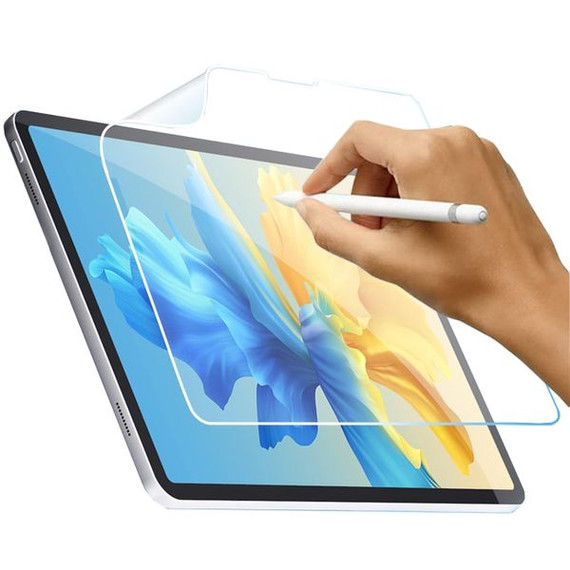
iPad Air 13" (M3, 2025) Paperfeel Screen Protector – Write and Draw Like on Paper
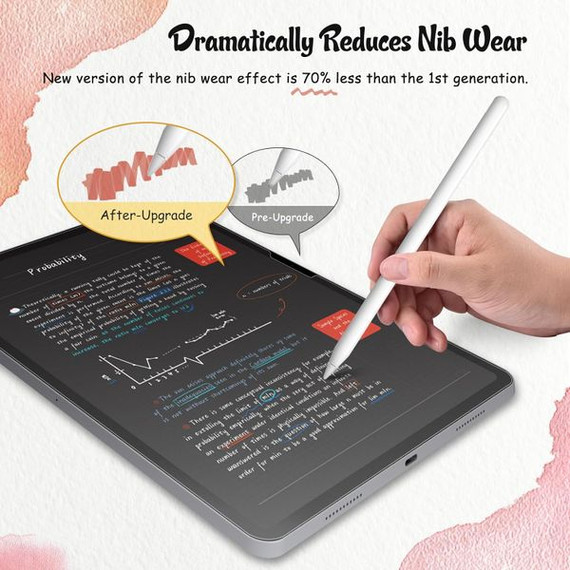
Transform your iPad Air 13" (M3, 2025) into a digital notebook or canvas with the Paperfeel Screen Protector. Specially designed to mimic the texture of paper, this screen protector enhances the experience of writing, sketching, and drawing with a stylus pen. Whether you're a student, artist, or professional, this screen protector provides a tactile and realistic paper-like feel, giving you the precision and control you need for note-taking, drawing, and creative tasks.
With its unique matte finish, the Paperfeel Screen Protector reduces glare and fingerprints, ensuring a smooth and comfortable experience with better endurance and less strain on your hand. Make your handwriting more legible and your drawings more precise while enjoying the benefits of a paperless environment.
Key Features
1. Compatibility
- Specifically designed for the iPad Air 13" (M3, 2025).
- Compatible with model numbers:
- A3268.
- A3269.
- A3271.
2. Paper-Like Writing and Drawing Experience
- True Paper Feel: Delivers a tactile sensation that mimics the texture of real paper.
- Enhanced Precision: Provides better control for drawing and more legible handwriting.
- Reduced Hand Fatigue: Offers a smooth surface that minimizes hand strain during extended use.
3. Improved User Experience
- Anti-Glare Surface: Reduces glare from light sources for a clear, comfortable viewing experience.
- Smudge-Resistant: Keeps your screen free from fingerprints and smudges.
- Perfect for students, artists, and professionals who want a paper-like interaction with their iPad.
Installation Guide
Follow these simple steps to install the Paperfeel Screen Protector with ease:
-
Clean the Screen:
- Use the Wet (Alcohol) Wipe to clean your tablet screen.
- Dry the screen with the Dry Wipe to remove excess alcohol.
-
Remove Dust:
- Use the Dust Absorber Sticker to remove any remaining dust or hair on the screen.
-
Align the Protector:
- Peel off one end of the protective layer labeled "(1)" without removing it entirely.
- Align the screen protector with the screen, starting from one end and gradually peeling off the layer while applying the protector.
-
Remove Air Bubbles:
- Use the Squeeze Card to push out any air bubbles as you apply the protector.
-
Final Step:
- Peel off the second protective layer labeled "(2)".
- Use the squeeze card again to remove any residual air bubbles.
What’s Included?
- 1 x iPad Air 13 Paperfeel Screen Protector (M3, 2025).
- 1 x Wet (Alcohol) Wipe.
- 1 x Dry Wipe.
- 1 x Dust Absorber Sticker.
- 1 x Squeeze Card.
Why Choose the iPad Air 13" Paperfeel Screen Protector?
- Realistic Paper-Like Feel: Write and draw with the precision and comfort of paper in a digital environment.
- Enhanced Stylus Experience: Designed to work seamlessly with the stylus pen for smooth, controlled strokes.
- Durable and Reliable: Protects your iPad screen while providing a premium user experience.
- Easy Installation: Includes all tools and a step-by-step guide for bubble-free application.
- Anti-Glare and Smudge-Resistant: Keeps your screen clean and clear for uninterrupted use.
Frequently Asked Questions (FAQs)
1. Is this screen protector compatible with other iPad models?
No, this screen protector is specifically designed for the iPad Air 13" (M3, 2025) and is compatible only with model numbers A3268, A3269, and A3271.
2. Does the screen protector improve the writing and drawing experience?
Yes, the screen protector provides a paper-like texture that enhances precision and makes writing and drawing feel more natural.
3. Will the screen protector affect the clarity of the display?
The screen protector has a matte finish that reduces glare and fingerprints while maintaining excellent screen clarity.
4. How do I remove air bubbles during installation?
Use the squeeze card provided to gently push out air bubbles during installation. Start from the center and work towards the edges for the best results.
5. Does the screen protector come with all the tools needed for installation?
Yes, the package includes a Wet Wipe, Dry Wipe, Dust Absorber Sticker, and Squeeze Card for a hassle-free installation process.
6. Does the package include the iPad Air 13"?
No, the package includes only the iPad Air 13 Paperfeel Screen Protector and installation tools. The tablet is not included.