


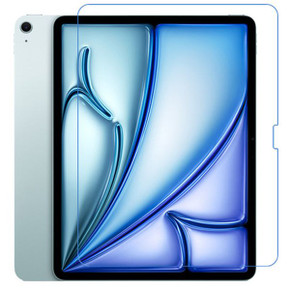
Zoom the image with the mouse
Share:
Lenovo Idea Tab Pro 12.7" Paperfeel Screen Protector – Perfect for Writing, Drawing, and Creativity
Enhance your Lenovo Idea Tab Pro 12.7" experience with the Paperfeel Screen Protector, designed to deliver a tactile paper-like surface for unparalleled precision and control. Whether you're a digital artist, a student, or a professional, this screen protector makes note-taking, sketching, and handwriting feel as natural as writing on real paper.
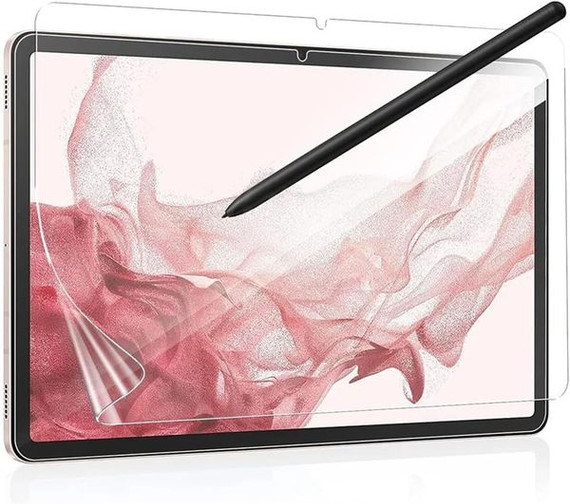
Engineered to work seamlessly with the stylus pen, this screen protector improves your handwriting legibility, provides better precision while drawing, and reduces hand fatigue for extended use. Bring the sensation of paper to your tablet and enjoy a smoother, more comfortable digital writing and drawing experience.
Key Features
1. Compatibility
- Specially designed for the Lenovo Idea Tab Pro 12.7" (Model Number: TB373) to ensure a perfect fit and full functionality.
2. True Paper Feel
- Paper-Like Texture: Delivers a realistic paper feel that enhances note-taking and drawing on your tablet.
- Natural Handwriting and Drawing: Provides a tactile surface that feels just like writing or sketching on paper.
3. Enhanced Writing and Drawing Experience
- Improved Precision: Perfect for artists and note-takers, offering greater accuracy and control.
- Legible Handwriting: Makes handwriting clearer and more natural-looking.
- Reduced Hand Fatigue: Ensures a comfortable writing or drawing experience, even during long sessions.
4. Easy Installation
- Comes with a detailed installation guide and all the tools you need for a bubble-free and seamless application.
Installation Guide
Follow these steps for smooth and hassle-free installation:
- Clean the Screen:
- Use the included Wet (Alcohol) Wipe to clean your tablet screen thoroughly.
- Wipe off excess alcohol with the Dry Wipe.
- Remove Dust:
- Use the Dust Absorber Sticker to remove any remaining dust or hair from the screen.
- Align the Screen Protector:
- Peel off one corner of the protective layer marked “(1)” and align the screen protector with your tablet screen.
- Gradually peel off the rest of the protective layer as you apply the screen protector.
- Eliminate Bubbles:
- Use the included Squeeze Card to push out any air bubbles during the application process.
- Final Step:
- Remove the top protective layer marked “(2)”.
- Use the Squeeze Card again to remove any residual air bubbles.
What’s Included in the Package?
- 1 × Lenovo Idea Tab Pro 12.7" Paperfeel Screen Protector
- 1 × Wet (Alcohol) Wipe
- 1 × Dry Wipe
- 1 × Dust Absorber Sticker
- 1 × Squeeze Card
Why Choose the Lenovo Idea Tab Pro Paperfeel Screen Protector?
- Natural Writing Experience: Feel like you're writing or sketching on real paper.
- Enhanced Precision: Perfectly designed to work with the stylus pen for improved accuracy.
- Comfortable and Durable: Reduces hand fatigue and offers long-lasting performance.
- Effortless Installation: Includes all the tools and instructions needed for a bubble-free application.
- Seamless Compatibility: Designed specifically for the Lenovo Idea Tab Pro 12.7", ensuring a perfect fit.
Frequently Asked Questions (FAQs)
1. Is this screen protector compatible with other Lenovo tablets?
No, this screen protector is specifically designed for the Lenovo Idea Tab Pro 12.7" (TB373) and may not fit other models.
2. Does the Paperfeel Screen Protector affect touch sensitivity?
No, the screen protector is designed to maintain the original touch sensitivity of your tablet, ensuring a smooth and responsive experience.
3. Can I use this screen protector with the stylus pen?
Yes, the Paperfeel Screen Protector is developed to work in perfect harmony with the stylus pen, providing precision and a natural writing/drawing experience.
4. Is the installation process difficult?
Not at all! The package includes a step-by-step installation guide and all the necessary tools to make the process quick and easy.
5. Does the screen protector reduce glare?
Yes, the Paperfeel Screen Protector helps reduce glare, making it easier to use your tablet in bright environments.
6. Will this screen protector wear out the stylus pen tip?
No, it is designed to provide a balance between texture and durability, minimizing wear on the pen tip while offering a paper-like experience.
7. Is this an official Lenovo product?
No, this is a third-party screen protector and is not manufactured by Lenovo.
8. Does the package include the tablet?
No, the package includes only the Paperfeel Screen Protector and installation tools. The tablet is not included.


Related Products

![Lenovo Idea Tab Pro 12.7" Tb373 Designer Tri-Fold Case [Graffiti]](https://cdn11.bigcommerce.com/s-rv26v3fbbl/images/stencil/290x290/products/48534/11283431/TB_LNV_2504_ITP127.CDP.3_THNFQMRVGVDI__70095.1758586020.jpg?c=1 "Lenovo Idea Tab Pro 12.7\" Tb373 Designer Tri-Fold Case [Graffiti]")
![Lenovo Idea Tab Pro 12.7" Tb373 Designer Tri-Fold Case [Notouch]](https://cdn11.bigcommerce.com/s-rv26v3fbbl/images/stencil/290x290/products/48589/11355967/TB_LNV_2504_ITP127.CDP.2_THNFQA1J07SK__01800.1758666591.jpg?c=1 "Lenovo Idea Tab Pro 12.7\" Tb373 Designer Tri-Fold Case [Notouch]")
