


Zoom the image with the mouse
Lenovo Tab 10.1" 2025 Paperfeel Screen Protector – Write and Draw Like on Paper
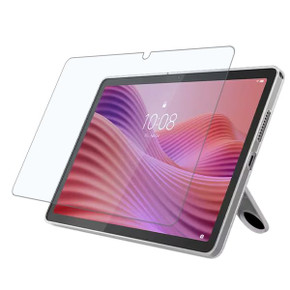
Transform your Lenovo Tab 10.1" 2025 into a digital notebook with the Paperfeel Screen Protector, specifically designed to enhance your note-taking and drawing experience. Compatible with the MediaTek Helio G85 Processor model, TB311, this screen protector delivers the sensation of writing and drawing on paper, bringing precision and comfort to a paperless environment.
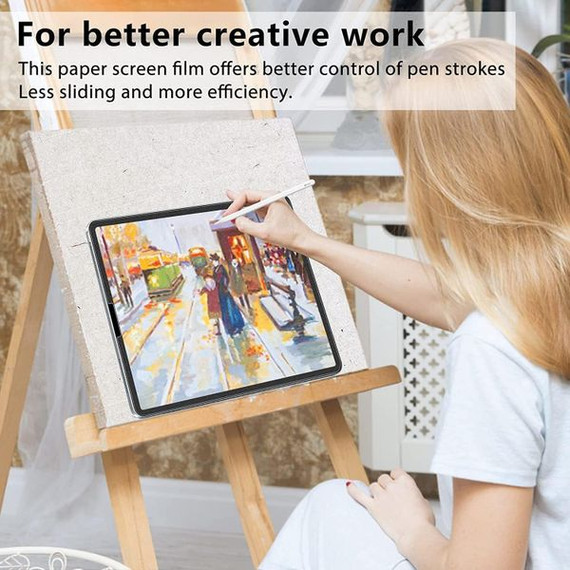
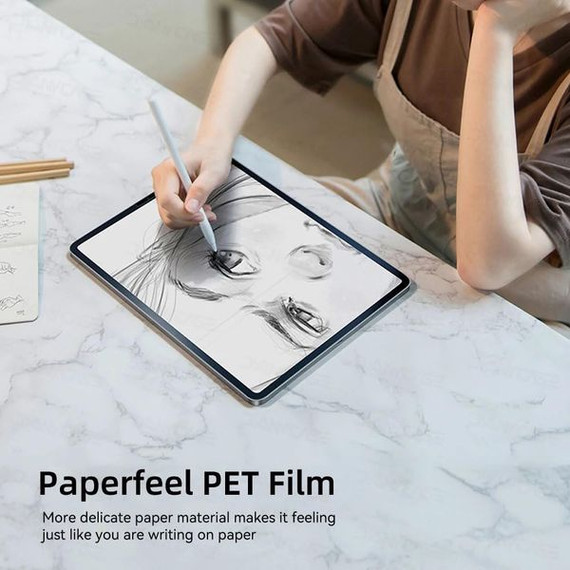
The Paperfeel Screen Protector provides improved control and precision for stylus users while reducing hand fatigue during extended use. Whether you're writing, sketching, or taking notes, this accessory ensures your handwriting is more legible and your drawing experience is more natural.
Key Features
1. Compatibility
- Designed for the Lenovo Tab 10.1" 2025 (MediaTek Helio G85 Processor).
- Fits model number TB311, ensuring a perfect and precise fit.
2. True Paper Feel
- Paper-Like Texture: Simulates the tactile sensation of writing and drawing on paper, enhancing control and creativity.
- Improved Precision: Provides better stylus control for detailed drawings and clear, legible handwriting.
- Reduced Hand Fatigue: Offers a comfortable writing surface for extended use, making it ideal for students, artists, and professionals.
3. Enhanced Writing & Drawing Experience
- Note-Taking Made Easy: Capture your ideas effortlessly with the feel of real paper.
- More Accurate Sketching: Achieve finer details and smoother strokes with improved stylus precision.
- Anti-Glare Surface: Reduces screen glare, ensuring a clear view even under bright light.
4. Durable & Reliable
- Bubble-Free Installation: Comes with a full installation kit for a smooth, hassle-free application.
- Residue-Free Removal: Easily removable without leaving any sticky residue behind.
What’s Included in the Package?
- 1 × Lenovo Tab 10.1" 2025 Paperfeel Screen Protector
- 1 × Wet (Alcohol) Wipe
- 1 × Dry Wipe
- 1 × Dust Absorber Sticker
- 1 × Squeeze Card
Installation Guide
Follow these steps for a perfect, bubble-free installation:
-
Prepare the Screen:
- Clean the screen using the Wet (Alcohol) Wipe to remove dust and fingerprints.
- Use the Dry Wipe to remove excess moisture.
- Remove any remaining dust particles using the Dust Absorber Sticker.
-
Apply the Screen Protector:
- Carefully peel off one end of the protective layer with the "(1)" sign.
- Align the screen protector with your tablet screen, peeling the protective layer gradually while applying the screen protector from one end to the other to avoid bubbles.
- Use the Squeeze Card to gently push out any air bubbles during installation.
-
Finalize Installation:
- Peel off the second protective layer with the "(2)" sign.
- Use the Squeeze Card again to remove any residual air bubbles.
Why Choose the Lenovo Tab 10.1" 2025 Paperfeel Screen Protector?
- Enhanced Creativity: Write and draw with precision and control, just like on paper.
- Improved Comfort: The paper-like texture reduces hand fatigue during long writing or drawing sessions.
- Anti-Glare Surface: Reduces glare for better visibility and a more comfortable viewing experience.
- Durable & Reliable: High-quality material ensures long-lasting performance without compromising clarity.
- Complete Installation Kit: Includes all necessary tools for an easy, bubble-free application.
Frequently Asked Questions (FAQs)
1. Is this screen protector compatible with other Lenovo models?
No, this screen protector is specifically designed for the Lenovo Tab 10.1" 2025 (MediaTek Helio G85 Processor) and may not fit other Lenovo models.
2. Does this screen protector support stylus pens?
Yes, the Paperfeel Screen Protector is optimized for stylus use, offering enhanced precision and control for writing and drawing.
3. Will this screen protector reduce screen clarity?
This screen protector is designed to simulate the feel of paper, which may slightly reduce clarity compared to tempered glass protectors. However, it enhances functionality for note-taking and drawing.
4. Is this screen protector easy to install?
Yes, the included installation kit (Wet Wipe, Dry Wipe, Dust Absorber Sticker, and Squeeze Card) ensures a hassle-free, bubble-free installation process.
5. Does this screen protector leave residue when removed?
No, the Paperfeel Screen Protector is designed to be easily removable without leaving any sticky residue behind.
6. What happens if there are air bubbles during installation?
Use the Squeeze Card provided to push out any air bubbles during and after installation. For best results, follow the installation guide carefully.
7. Is this screen protector made by Lenovo?
No, this is a third-party product and is not manufactured by Lenovo.
8. Does the package include the Lenovo Tab 10.1" 2025 tablet?
No, the package includes only the Paperfeel Screen Protector and installation tools. The tablet is not included.

![Tab 10.1" 2025 Tb311 Tri-Fold Pu Case [Red]](https://cdn11.bigcommerce.com/s-rv26v3fbbl/images/stencil/290x290/products/48810/11327255/lenovo_tab_2025_pu_leather_case_red_0_TJ2VLZ8SVL5W__40735.1758628399.jpg?c=1 "Tab 10.1\" 2025 Tb311 Tri-Fold Pu Case [Red]")
![Lenovo Tab 10.1" 2025 Tb311 Eva Shockproof Case [Blue]](https://cdn11.bigcommerce.com/s-rv26v3fbbl/images/stencil/290x290/products/49616/11277719/lenovo_tab_2025_eva_shockproof_case_blue_0_TJ2VTFVHV53F__63206.1758581453.jpg?c=1 "Lenovo Tab 10.1\" 2025 Tb311 Eva Shockproof Case [Blue]")